
Photo by: Kindel Media via Pexels
TL;DR: Businesses can automate accounts receivable collections by connecting ERP systems to specialized collections software, establishing programmatic email and SMS cadences, deploying customer self-service payment portals, automating cash application with machine learning, and enforcing algorithmic credit limits. In practice, modern collections automation reduces days sales outstanding (DSO) by an average of six days, accelerates working capital access, and prevents manual ledger reconciliation errors.
Chasing outstanding customer invoices is one of those administrative tasks that feels routine right up until payment delays squeeze payroll. In many corporate finance departments, collections are still managed through manual spreadsheet exports, memory, and increasingly urgent email threads. The process is slow. It is also prone to embarrassing errors, such as emailing a valued customer for an overdue invoice they settled three hours prior. Transitioning to automate accounts receivable collections replaces these manual routines with structured, programmatic workflows. By integrating billing records with automated communication systems, companies can shorten payment cycles and recover overdue balances without adding administrative headcount.
Table of Contents
- How to Automate Accounts Receivable Collections in Five Steps
- Automating Overdue Invoice Collections for Finance Teams
- Small Business Steps to Automate Accounts Receivable
- Reducing Days Sales Outstanding (DSO): The Strategic Impact
- Managing Credit Risk and Preventing Bad Debt
- The Future of Automated Receivables and AI Agents
- Frequently Asked Questions
How to Automate Accounts Receivable Collections in Five Steps
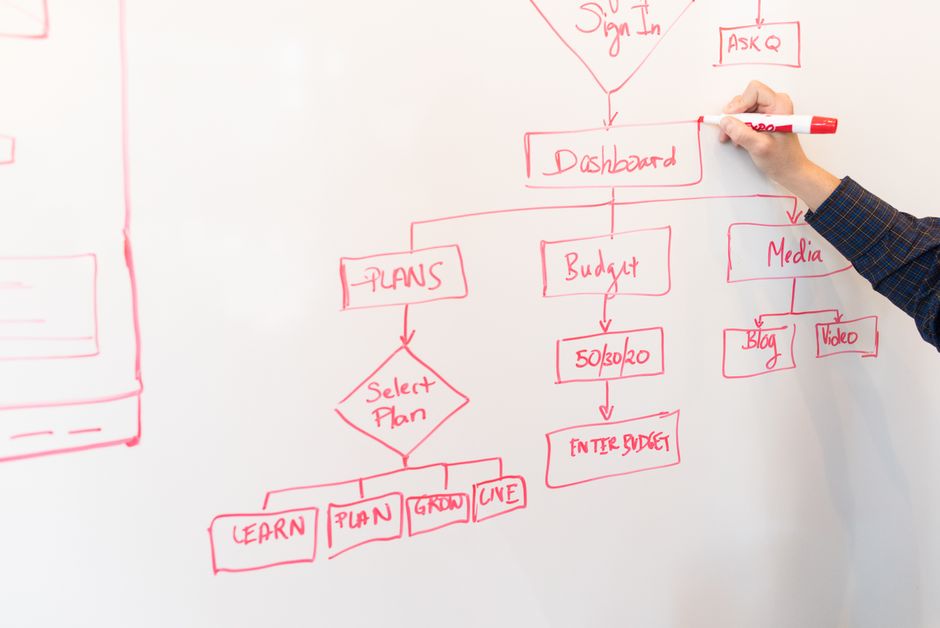
Moving from manual collections to a systemized framework requires an organized implementation. Finance teams cannot simply turn on automated reminders and expect delinquency to disappear overnight. The rollout requires linking general ledger data, setting explicit escalation triggers, and eliminating friction for payers. Implementing this operational change follows five practical phases.
1. Centralize and Sync ERP Billing Data
The foundation of collections automation is real-time data synchronization. Organizations connect their core general ledger or ERP software?such as Oracle NetSuite, SAP, QuickBooks, or Sage?to specialized accounts receivable software like HighRadius, Billtrust, or YayPay. Bidirectional API synchronization ensures that customer ledger entries, open balances, credit memos, and transaction limits remain identical across systems. In practice, this bi-directional connection prevents the classic mistake of sending past-due reminders for already-cleared balances. If an organization still relies on legacy accounting software solutions without native REST APIs, establishing automated batch exports is the mandatory starting point.
2. Deploy Automated Email and SMS Multi-Channel Cadences
Manual collections outreach limits how many customer accounts a single specialist can manage. To scale effectively, teams automate accounts receivable email SMS communications through pre-configured event triggers. Rather than having a clerk manually draft emails from an aging report, the system executes structured sequences based on due dates. A proactive sequence sends a digital invoice with an embedded payment link seven days before maturity. On the due date, an automated SMS notification provides a direct one-click settlement link for mobile decision-makers. If the balance remains open fifteen days past due, the workflow escalates to a formal notice sent from a finance manager alias.
3. Launch Self-Service Customer Payment Portals
Friction in the payment experience remains a leading driver of late settlement. Customer-facing payment portals give buyers 24/7 visibility into open statements, historic payment receipts, and disputed line items. Providing immediate access to ACH transfers, credit cards, and automated virtual card processing removes the administrative delays associated with paper checks. According to research from Grand View Research in their Accounts Receivable Automation Market Report, deploying self-service digital payment gateways significantly accelerates transaction turnaround times.
4. Streamline the Automated Cash Application Workflow
Reconciling incoming wires and electronic payments against hundreds of open invoices consumes substantial staff hours. Just as organizations work to optimize the accounts payable process, they must remove friction on the incoming side. Modern accounts receivable platforms use optical character recognition (OCR) and machine learning algorithms to automate cash application. The software ingests unstructured bank remittance advice from emails and portal downloads, matches payments to open line items in the general ledger, and flags genuine discrepancies for human review. This automated matching accelerates the month-end close cycle.
5. Enforce Algorithmic Credit Risk Management
Effective collections management begins before an invoice is issued. Automated AR platforms evaluate historic customer payment patterns alongside external credit bureau feeds to assign dynamic risk scores. If a customer’s average days-to-pay metric increases by 20%, the platform adjusts their credit threshold or places orders on temporary credit hold. This algorithmic control ensures that sales teams do not continue fulfilling shipments for buyers carrying severely delinquent balances.
Automating Overdue Invoice Collections for Finance Teams
When finance departments struggle with cash conversion, the bottleneck is rarely a lack of effort. It is almost always a structural problem: staff spend 80% of their working hours identifying who owes money rather than resolving complex billing disputes. By designing structured workflows, finance leaders can automate overdue invoice collections finance teams rely on to maintain consistent cash inflows.
The key to scaling overdue collections is segmenting customer accounts by aging buckets and risk profiles rather than treating every outstanding balance equally. A prompt corporate client with a temporary administrative delay requires a polite reminder, whereas a chronically late account requires immediate escalation. Automating these tiers ensures that routine follow-ups execute automatically while senior collectors focus on high-balance accounts at risk of default.
| Aging Bucket | Primary Channel | Automated Trigger & Action | Escalation Level |
|---|---|---|---|
| Current (Day -7 to 0) | Email + Portal | Automated invoice dispatch with digital payment link and statement copy. | Standard / Informational |
| Due Date (Day 0) | SMS / Email | Friendly reminder with one-click payment URL. | Soft Notice |
| 1?15 Days Overdue | Email (Automated) | Follow-up reminder sent from collections desk with account statement attached. | Formal Notice |
| 16?30 Days Overdue | Email + SMS | Escalation notice sent from Finance Manager alias; flags impending credit hold. | Supervisory Escalation |
| 31?60+ Days Overdue | Task Assigned | Automated credit hold triggered; high-priority task assigned to Controller for phone outreach. | Executive Review / Hold |
Furthermore, automated dispute tracking prevents invoices from lingering in limbo. When a customer indicates a pricing discrepancy or missing purchase order number, modern AR software routes the dispute directly to the account executive or billing specialist with a strict resolution timer. This eliminates the multi-week delays where invoices remain unpaid because an unassigned dispute sat in a general inbox.
Small Business Steps to Automate Accounts Receivable
A common misconception among business owners is that collections automation requires expensive enterprise software and six-month IT consulting engagements. In reality, smaller firms face the highest risk from late payments because limited cash reserves leave little room for error. Following clear automate accounts receivable small business steps allows lean teams to establish professional, automated collections using lightweight tools.
- Standardize Digital Invoicing Defaults: Configure your accounting platform (such as QuickBooks Online, Xero, or Zoho Books) to issue electronic invoices immediately upon delivery of goods or services, eliminating batch billing delays.
- Embed Direct Payment Links: Integrate digital merchant rails (such as Stripe, Melio, or direct ACH) so clients can pay directly from the email invoice with zero manual bank entry.
- Activate Automated Dunning Sequences: Set up automated reminder rules in your billing software for 3 days before due, on the due date, and 7 days past due.
- Implement Clear Late Fee Policies: Program standard interest terms (such as 1.5% monthly on balances past 30 days) into your contract templates and invoice terms to encourage on-time settlement.
For small organizations, avoiding software bloat is just as important as automating the workflow. A small business with 50 monthly invoices does not need an enterprise risk engine; it needs automated invoice delivery, frictionless payment links, and systematic email reminders that execute without human intervention.
Reducing Days Sales Outstanding (DSO): The Strategic Impact

The primary performance indicator for any accounts receivable operation is Days Sales Outstanding (DSO). Implementing automated collections workflows produces measurable balance sheet improvements. Accelerating cash collections frees up working capital that would otherwise sit idle on customer ledgers. This matters because outstanding receivables are effectively an interest-free loan funded directly by your cash reserves.
The data suggests that the return on AR automation is significant. According to the Billtrust Accounts Receivable Benchmark Report, organizations deploying automated collections infrastructure achieve an average six-day reduction in DSO. For an enterprise generating $50 million in annual credit sales, a six-day DSO reduction releases approximately $820,000 in liquid capital. That capital can fund operations, support growth, or retire debt without incurring commercial borrowing costs.
An accounting manager described their department’s transition from manual spreadsheets to an automated AR collections platform. They noted that manual follow-up was consuming half of their team’s weekly bandwidth, and transitioning to automated communication sequences eliminated that administrative overhead entirely while cutting collection delays.
Reddit r/Accounting
Additionally, automated systems systematically capture and match bank remittance data. This structural consistency ensures that customer statements reflect real-time cleared payments, preventing friction between collections staff and customer accounts payable desks. Worth noting is that the majority of billing delays stem not from client insolvency, but from administrative mismatch errors. Eliminating these discrepancies directly accelerates the conversion of revenue into realized cash.
Managing Credit Risk and Preventing Bad Debt

Traditional credit reviews are often static and backward-looking. A credit analyst evaluates a customer during onboarding, assigns a terms limit, and rarely re-evaluates the account until a major invoice defaults. This static approach creates substantial financial exposure during industry downturns. Automated collections software mitigates this by providing continuous, algorithmic credit risk monitoring based on live transactional data.
The platform correlates internal payment speed with external credit feeds. If a customer’s average payment cycle slows by 15 days across the industry, the system flags the account and recalibrates credit terms automatically. This automated governance prevents sales representatives from booking new orders for clients who are failing to clear existing balances. The standard is clear; the application is not. Sales-driven teams often push back against automated credit holds, but the underlying financial reality is straightforward: booking a sale is meaningless if the cash cannot be collected.
For growing enterprises, disciplined receivables management is foundational for forecasting cash flow accurately. When an aging ledger carries unrecognized bad debt, projected liquidity is distorted. Enforcing algorithmic credit rules ensures that working capital projections reflect collectible assets rather than unrecoverable balances.
The Future of Automated Receivables and AI Agents

The next generation of order-to-cash technology extends beyond simple rule-based email triggers. On Gartner’s Invoice-to-Cash Applications Review Page, industry leaders note that predictive algorithms can now project customer payment default probabilities up to 90 days before an invoice reaches maturity. This predictive capability allows finance managers to adjust credit terms or request deposits before balances age into delinquency. (Three vendors claim to solve this completely. Two of them are the same product with different logos.)
Moreover, agentic AI workflows are beginning to take on complex administrative tasks. We have examined how accounting firms use AI in 2026 to handle structured data. In accounts receivable, specialized AI agents can log into customer vendor portals, download remittance advice, verify purchase order compliance, and draft context-specific responses to billing inquiries within predefined parameters. This shifts the role of collections specialists from manual typists to process supervisors.
However, worth noting is that automation that skips the review step is not automation; it’s risk transfer. The liability does not disappear because an algorithm executed the ledger entry. Someone still has to own the financial output. The organizations that succeed build systematic review gates into the workflow. The firms that do not are building a future audit finding. While software can draft payment reminders or suggest cash matches, financial controllers must retain supervisory governance over write-offs, credit limits, and ledger reconciliation. For accounting professionals evaluating automation and the future of finance roles, long-term career value lies in overseeing these automated engines rather than competing with them manually.
Frequently asked questions


The technology will keep evolving. The necessity of reconciling it against reality will not. That is either reassuring or exhausting, depending on your relationship with Excel.
About the Author